Start LIVE from the correct setlist
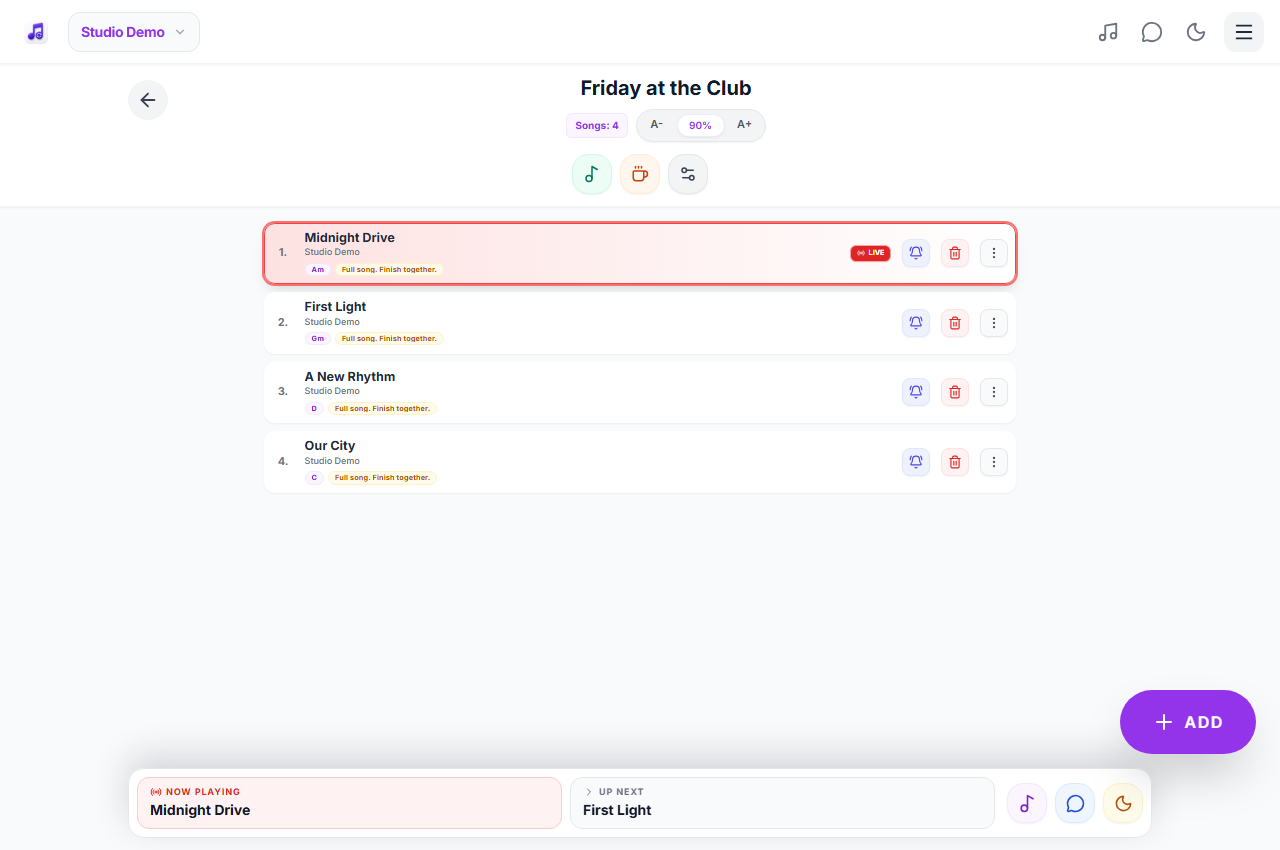
An authorized leader starts LIVE from the setlist overview. The setlist opens with its first song marked, and band members can receive an invitation notification. Members need their own authorized accounts and access to the correct band. Check everyone has joined before relying on the shared display.
Keep the current-song marker under leader control
The LIVE marker remains on the selected item until a leader advances it or ends LIVE. Reordering an entry updates the shared running order. The persistent navigation shows the current and following song, which is especially helpful when a setlist is long. Opening a record to read it is not a substitute for agreeing who leads the show.
Separate an ordinary request from an urgent insertion
A member request is reviewed by a leader. For an immediate change, a leader opens the bell beside the relevant song, searches permitted library material and selects one or more entries. They are inserted after that position in selection order. Band chat carries the explanation; the setlist remains the source of the running order.
Know the connection and notification limits
Shared LIVE changes, chat and new requests need an internet connection. Background push additionally needs browser support, permission and a subscribed device; it is not guaranteed on every locked phone. Saved offline packs support local reading, not an automatic hotspot network. Recheck the current state after reconnecting and prepare a visual stage cue as backup.
At the gig
A guest asks for a different next song. The leader inserts it after the current item and the connected band sees the new order. The drummer can use the agreed BPM for practice while the singer checks the notes. If reception drops, use the stage cue agreed before the show rather than assuming an offline phone has received the change.
Practical questions
Is synchronization guaranteed within one second?
No fixed delivery time is guaranteed. Updates use realtime connections, but signal quality, server connectivity and device state affect delivery.
Does LIVE work over hotspot with no internet?
The current web application does not create an offline device-to-device LAN. A hotspot that provides internet can carry normal online traffic; without internet, read material saved locally.
Can I turn LIVE off before the last song?
An authorized leader can use the LIVE toggle to end the session without advancing through every remaining item.
Plans and availability
Start with Free: up to 25 band songs, 2 setlists, band chat and 5 song requests per rolling 24 hours. Calendar and other premium features require the appropriate access. Check current plans and availability before signing up.