
1. Agree what is shared and who maintains it
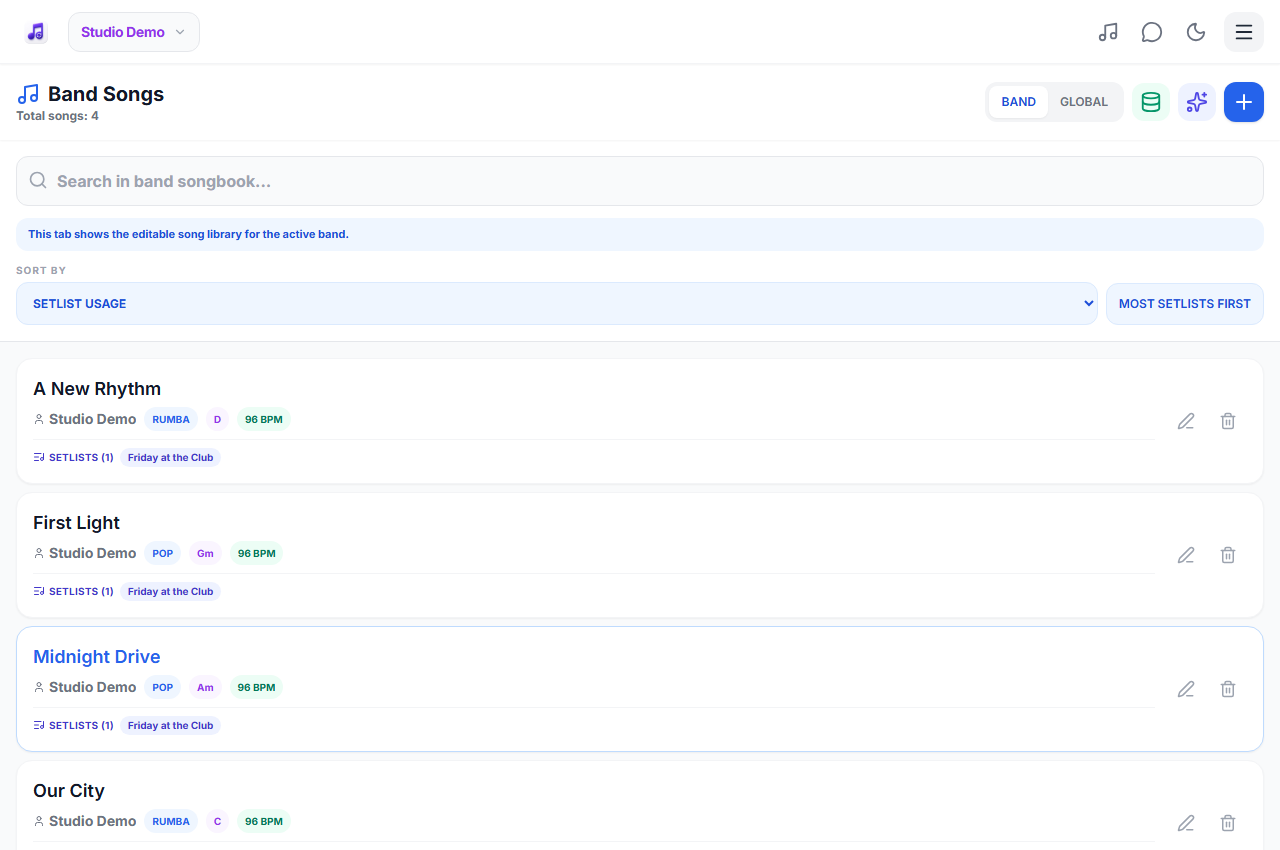
Nominate a primary band owner and authorized editors. Decide where the working record lives and how a proposed change is checked. In BandSet, the library belongs to the band and leaders with permission can work on the shared records. Each musician uses their own account. A shared password makes it difficult to distinguish edits and does not replace proper membership.
2. Use a consistent record structure
Choose a consistent title and artist spelling so the same piece is not entered under three names. Record the key your band actually uses, the rehearsed tempo if known and the useful style label. For an original example, label a rehearsal exercise "Evening warm-up", key Am, style pop, with the cue "four-count intro". These are organizational notes, not a copied song text.
- Check for an existing title and artist before adding a record.
- Write one agreed key and keep instrument-specific needs in the appropriate view.
- Choose style labels the whole band understands.
- Use concise, actionable notes instead of repeating the title in every field.
3. Reuse records, then build event-specific orders
A library answers what the band knows; a setlist answers what it will play at a particular event and in what order. Keep those two purposes separate. Reuse an existing entry in several setlists rather than copying it into a new record for every event. Membership labels in the library help reveal where an entry is already used. Review duplicates carefully before removing anything.
4. Review changes at rehearsal and keep a recovery plan
Check a changed key, arrangement cue or spelling with the musicians who use it. Entry credits help identify the contributor or last editor but are not a complete musical revision history. If a setlist disappears, look in the setlist trash before rebuilding it; ask authorized support about available recovery rather than assuming a local offline copy is permanent. Export the running order when useful and prepare each offline device separately.
Keep style labels useful for quick decisions
Agree whether your band uses labels such as pop, rumba or another familiar rhythm. Review inconsistent spellings together instead of assuming the app automatically knows the correct style or tempo for every entry. When a singer asks for several pieces in one style, search the agreed label, preview unfamiliar entries and select only material the band is ready to perform. Reusable library entries and event-specific orders solve different problems.
At the gig
Two leaders entered the same piece under different artist spellings and one copy uses an old key. Agree which record reflects the current arrangement, review which setlists use each version, update the working material and only then retire the duplicate. Simply deleting the older-looking item can remove something still needed for a gig.
Practical questions
Should every event have a separate copy of each song?
Usually no. Reuse a library record and create separate event setlists. Make a distinct record only when there is a meaningful arrangement or content reason.
Can more than one leader edit?
Authorized band leaders can maintain shared material. Agree responsibility for changes and check access with the primary owner.
Does this guide require sharing lyrics publicly?
No. It concerns organization of permitted material. Private band records remain access-controlled, and public sharing requires appropriate rights.
Plans and availability
Start with Free: up to 25 band songs, 2 setlists, band chat and 5 song requests per rolling 24 hours. Calendar and other premium features require the appropriate access. Check current plans and availability before signing up.