
Save the material on every device
Offline storage belongs to the browser and device where the material was saved. Preparing the leader’s tablet does not prepare the singer’s phone. Use the same browser or installed web app you intend to use on stage.
- Sign in while online and open the correct band and setlist.
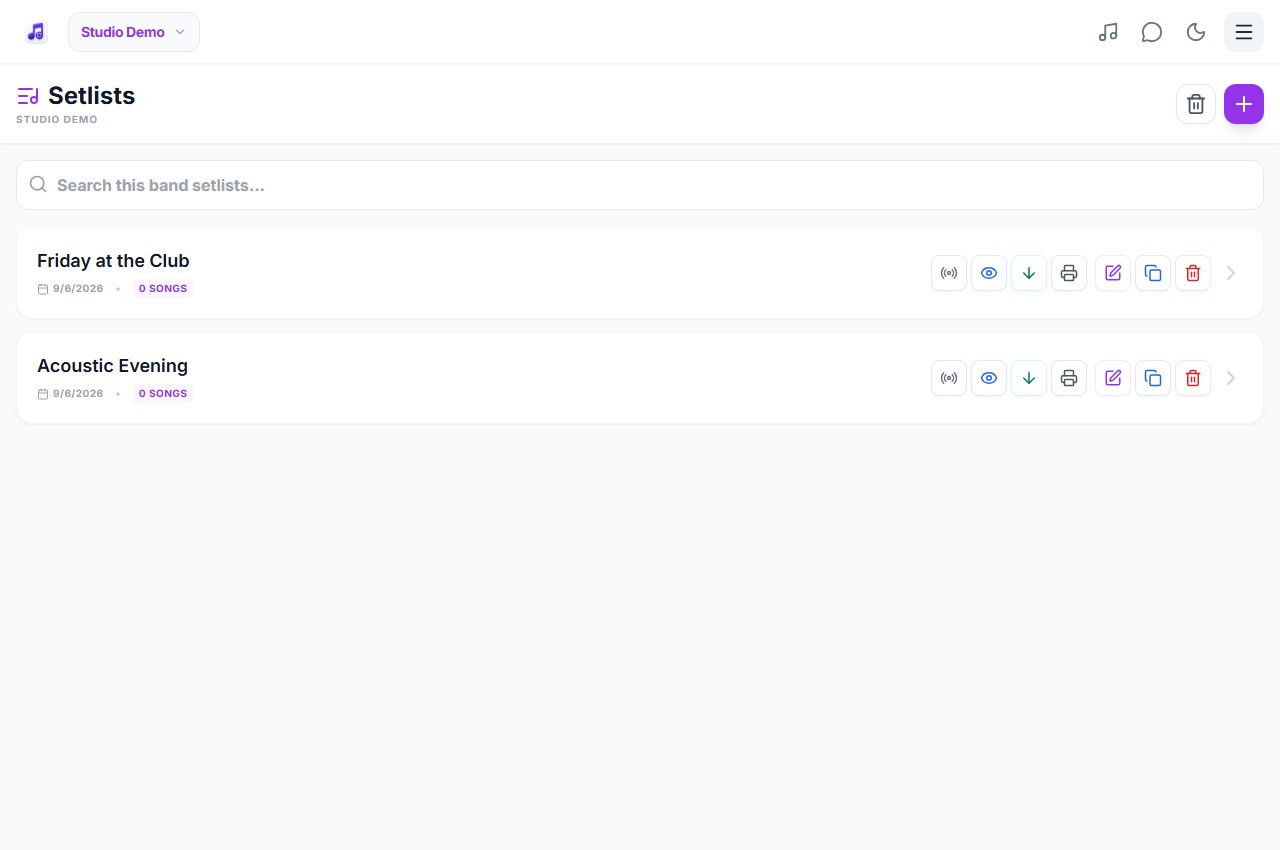
- Use the offline download control and wait for the saved confirmation. Open the performance notes you will need.
- Turn off the connection briefly, reopen the setlist and check several entries, including the last one.
- Reconnect and repeat the check after important repertoire changes.
Read saved material without internet
Offline preparation is for the setlist and notes already stored locally. A song added later, an unsaved setlist or material on another device may not be available. Check the full show rather than assuming that seeing one cached page means everything is saved.
Know which actions still need a connection
LIVE changes from another musician, band chat, new requests and server searches need connectivity. Offline mode does not create a direct connection between devices. Agree on a fallback cue with the band if you lose reception, and reconnect before expecting new shared updates.
Avoid surprises on the day
Use a normal browser session rather than private browsing. Clearing website data, signing out or changing browser can remove access to saved material. Browsers can also reclaim storage when a device is short on space. Keep the device charged, check readable text size and consider a printed running order as an extra backup.
At the gig
The band is playing outdoors with unreliable reception. Before traveling, each member saves the event setlist on their own device and tests it without internet. During the show, musicians can read the saved material, while the leader uses an agreed stage cue for any change that cannot be synchronized online.
Practical questions
Will live synchronization work with every device offline?
No. Shared real-time updates require a connection. Saved material can still be read locally, but another member’s changes will not arrive while your device is offline.
Do I need to prepare again after changing the setlist?
Reconnect and refresh or save the current material before the gig. Check new entries in particular, then test offline again on the devices you will actually use.
Is the offline pack a permanent backup?
No. Browser storage is local and can be removed. Keep important material backed up separately and test offline access before each event rather than treating a previous successful download as a permanent guarantee.
Plans and availability
Start with Free: up to 25 band songs, 2 setlists, band chat and 5 song requests per rolling 24 hours. Calendar and other premium features require the appropriate access. Check current plans and availability before signing up.