Build the repertoire before the gig
Keep reusable entries in your band library, then arrange them for a particular show. Search by title, artist, style or key instead of scrolling through the entire library. Leaders with the required permissions can edit the shared band material.
- Create a setlist for the event and add entries from the band library.
- Choose the insertion position when adding more songs, rather than rebuilding the order.
- Add short performance notes, such as a quiet intro or a final stop, and check the displayed key.
See what is playing now and what comes next
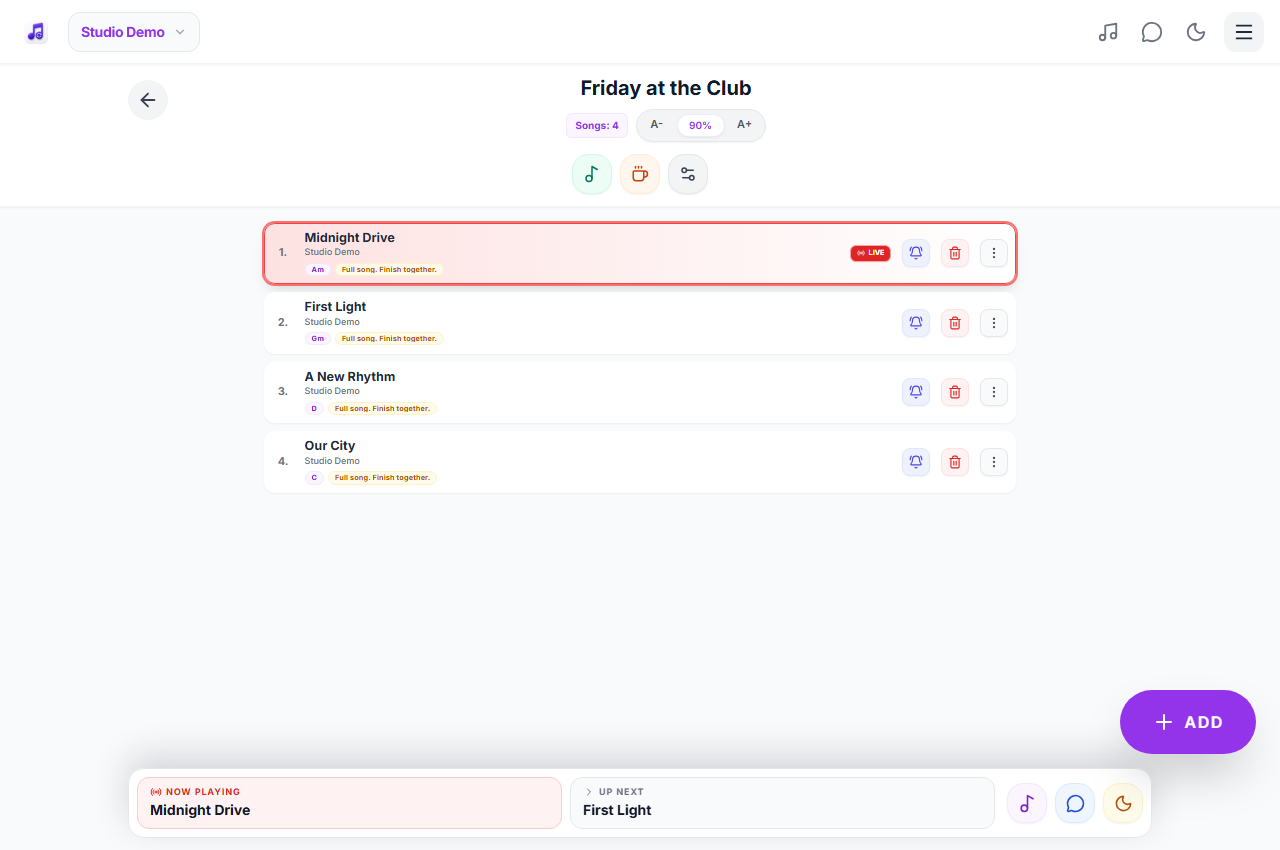
When a leader starts LIVE, the setlist marks the current song and shows the next one. The leader can advance the live marker during the show or turn LIVE off when finished. Connected band members receive updates to the shared state. Delivery speed depends on the connection; an offline device cannot follow live changes.
Handle requests without losing your place
Members can send an internal song request for the leader to review. For an immediate change, the leader can use the bell beside a song to open urgent ordering, preview entries and select several in sequence. The selected entries are inserted after that song. Use band chat for context that does not belong in the setlist itself.
Keep the stage view comfortable
Open an entry to read the performance notes, adjust text size, switch between light and dark themes or change chord visibility. These reading tools are useful when a singer and a guitarist use the same repertoire but need different views. Content is supplied by users; only upload or share material you have the right to use.
At the gig
The singer wants three songs in a particular style after the current number. Instead of sending several messages and explaining the position, the leader opens the bell on that song, searches the style, selects the three entries in the desired order and inserts them. Connected musicians see the updated order in the band setlist.
Practical questions
Does everybody use the same account?
No. Each musician should use their own account and join the correct band. Roles determine who can lead or edit, and subscription access determines which features are available.
Can I prepare separate repertoires for different shows?
Yes. Create separate setlists and reuse entries from the band library. The number of available setlists depends on your plan.
Is there an Android or iPhone version?
The web app works in supported browsers on phones, tablets and computers, with home-screen installation where supported. Native Android and Apple apps are planned; this page describes the web app available now.
Plans and availability
Start with Free: up to 25 band songs, 2 setlists, band chat and 5 song requests per rolling 24 hours. Calendar and other premium features require the appropriate access. Check current plans and availability before signing up.